The display method for non-participants who use stereoscopic display
Shunki Takami, Yusuke Kitagawa, Yoshiki Fukushige, Dai Obashi, Nobuhiro Ito, Kazunori Iwata
Department of Information Science, Aichi Institute of Technology, Aichi, Japan; Department of Business Administration, Aichi University, Aichi, Japan
Abstract We designed a new display module to non-participants which use stereoscopic display, for RoboCup Rescue Simulation. The display module using stereoscopic display has already existed, however, we think that it is not suitable to them yet. We thought why Rescue Simulation League is unintelligible to them, and we developed a 3D-viewer which an audience can operate as a solution. This paper describes what was improved from exist-3D-Viewr, and, how it is beneficial for nonparticipants.
Introduction
The Rescue Simulation League is unintelligible to non-participants because the displayed state of a game is unclear at first sight. 3D-viewers, that is, stereoscopic display modules, have already been used for this problem, but remain lacking in interest to non-participants. In this paper, we develop a new 3D-viewer module for non-participants.
Purpose of a 3D-viewer
While participants are able to fully understand Rescue Simulation League scenarios from the 2D-map, the audience may not understand as easily. The 3Dviewer is suited to partially depicting the simulation, because there is too much information to display the entire scene. We decided to make a spectator into a civilian agent, which should help audiences understand the rescue situation better. It will also help audiences understand the screen information shown on 2D-maps.
Development environment
The framework and 3DCG software is the same as for the existing software, as we use for the current version in the development of the new 3D-viewer. We show the version of Java and a framework used for development, in Table 1. While developing this we tried a Test Run. Also, the Specifications of the computer we use are mentioned in Table 2.
Table 1. Software environment
| Java | Java jdk1.7.0.25 (referred to as Java) |
|---|---|
| Framework jMonkey Engine3.0 (referred to as jME3) |
Table 2. Hardware environment
| M/B | lenovo ThinkPad W540 |
|---|---|
| CPU | Intel Core i7-4900MQ CPU @ 2.80GHz x 8 |
| Memory 16GB | |
| GPU | Quadro K2100M/PCIe/SSE2 |
Development concept
We aimed at development of the system which attains the following requirements.
– It is premised on making PC independent in order not to apply a burden to a simulation. – It is a representation that is closer to an audience. – It is interactive experience system for audiences.
Operable viewer
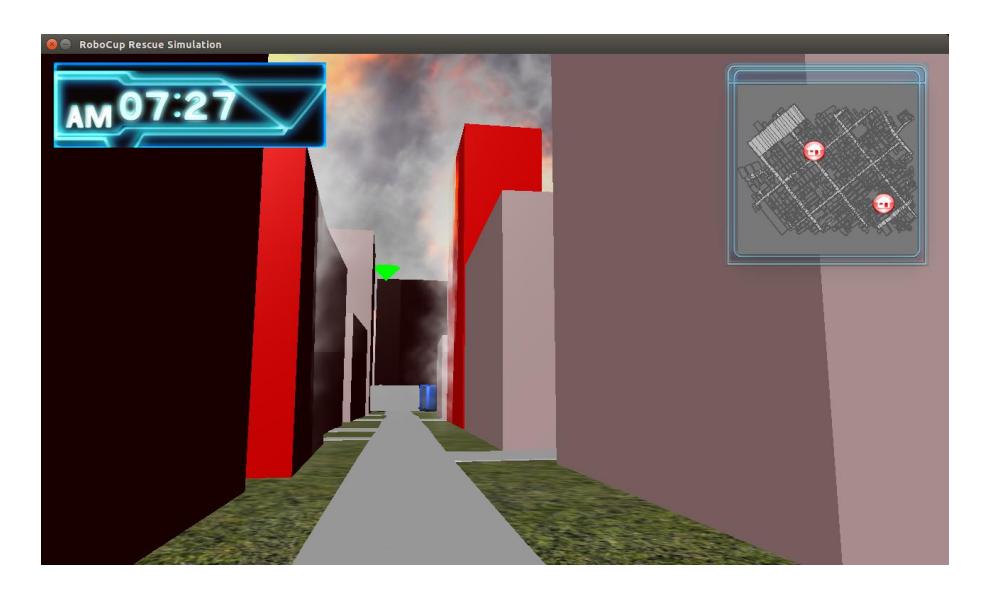
We have introduced a new feature to this, 'interaction with the viewer'. Users can operate the 3D Viewer with HID in front of the display. In the lower display the camera view can be switched from Bird View to Interactive ViewIt is possible for the spectator to move through the map in the Interactive View. Accordingly, the spectator may approach towards the simulation content to know the status of the simulation.
Interface design
We think that displaying an interface which summarizes the situation will raise visibility. The interface displays maps, time, and a 3D-view.
Basic policy
– Displays a certain agent's view. – Audiences can understand immediately. – Suppresses secondary information. – Arranges information.
Display the time
Known Issues
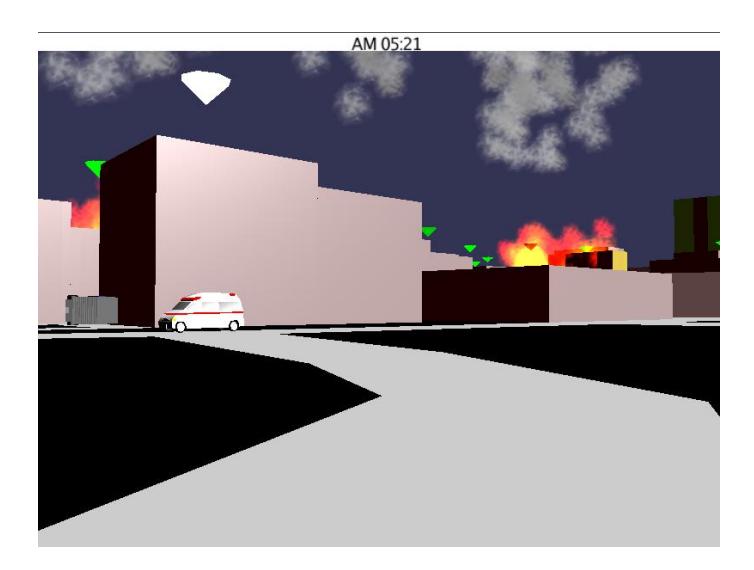
Audiences may not understand a time-step display, and finding the displayed time is difficult in the existing 3D-viewer because it is small relative to the size of the screen. (Fig. 1)
Solutions
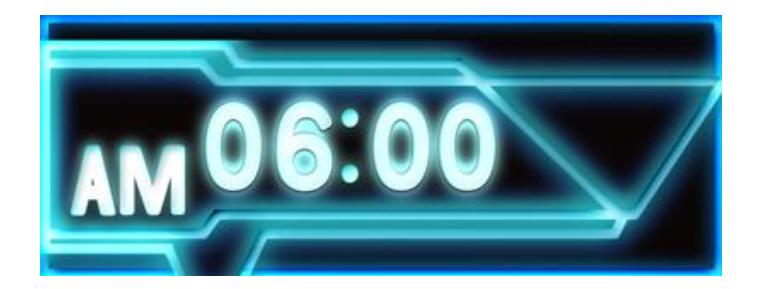
The time-step display indicates steps of simulation, so we display a clock instead. The clock is set to start from 6:00. We think that this is more intelligible to audiences because it is familiar to them. We use a blue color display because this information is not critical to the simulation and blue is not conspicuous. (Fig. 2)
Displaying 3D-viewer's viewpoint location
Known Issues
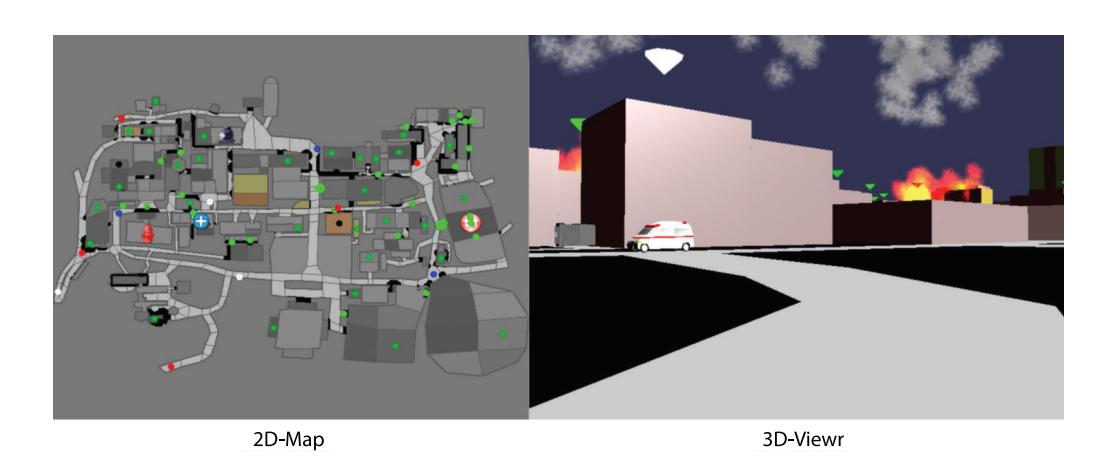
The system using the existing 3D-viewer does not display the viewpoint location, so audiences cannot be sure what the 3D-viewer is showing. The existing 3D-viewer uses only the 2D-Map to display the entire scenario. (3)
However, this does not display a viewpoint of the 3D-viewer. Therefore, audiences cannot match between the 3D-viewer and the 2D-map, which makes further understanding of the screen difficult.
Solutions
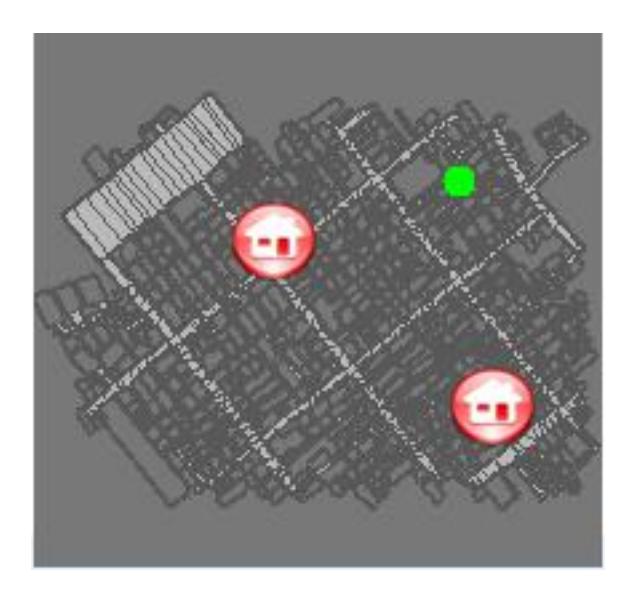
Only the minimum information necessary is displayed on this map because other information (other agents, fire, and blockages) is obstructive. (Fig. 4) Henceforth, this map is called the new 2D-map. The new 2D-map displays buildings, roads, and refuges, and the viewpoint of the 3D-viewer is displayed on the map as a green point using the swing method in Java. The 2D-map is displayed on the 3D-Viewer, and therefore seldom interferes with a field of view. Audiences also know the viewpoint of the 3D-viewer. And we use blue to display the new 2D-map for the same reason as the time display.
Adding realism of scenery
Known Issues
s the view is not realistic, there are cases when the object is unidentified, at times though.
Solutions
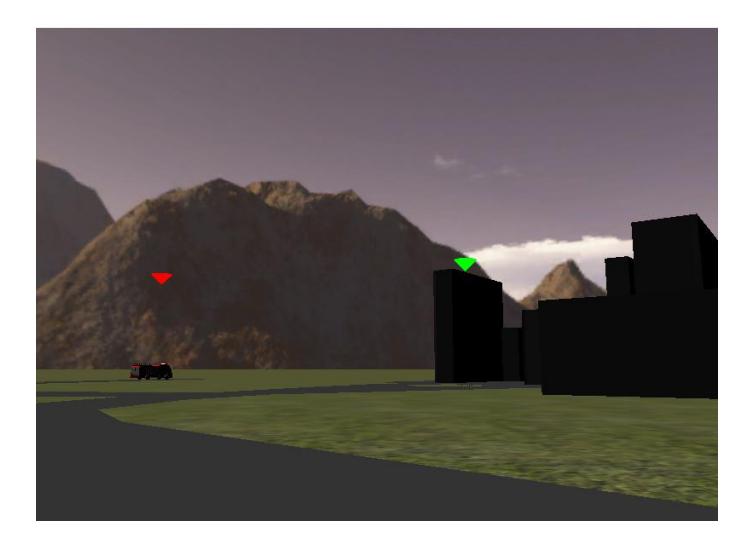
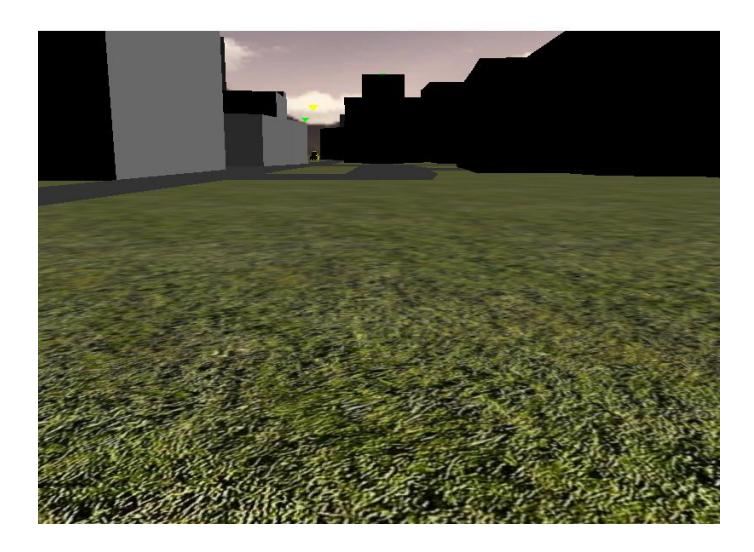
The realism of the 3D-viewer can be enhanced by including the background and ground surfaces. The background is expressed by drawing texture on an enclosed object using the SkyFactory class provided as a standard function of jME3. (Fig. 5) The ground surface is expressed using the wrap class of jME3 to place a picture created in PhotoShop over the created ground space. (Fig. 6)
The usage patterns
Because operable, the 3D viewer has usage of the following two. In this viewer, switching of the usage patterns is possible during simulation run.
Interactive view
In this view we can see the eye level view of the agent which makes it more 'interactive'. The content can be analysed from a close view. (Fig. 7)
Bird view
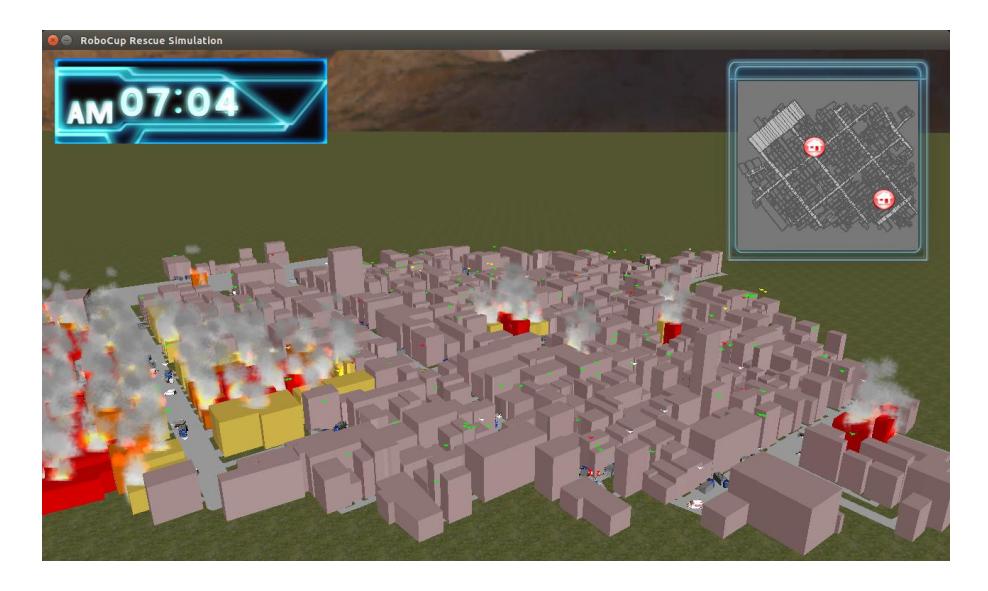
In this view we can see the display from the angle from above enabling to watch the whole scenario at a time. (Fig. 8)
The using situation
N/A
Robocup tournament
In the actual league, the non-participants can know the status of the replaced by watching. However, in the simulation league, knowing the situation is difficult. Therefore, this 3D viewer is used. This 3D viewer is run on independent PC, because the quality of the rescue simulation of the original purpose must not be reduced by using this 3D viewer. Audiences are bird view and observing the inside of a map by dialog display, and read the information on 2D map. We wish what is to get many audiences to get interested.
Research introduction at each institutions
In such our institutions where our opportunity is to introduce the contents of the research to people who do not know RCRS. Unless we explained even in the situation where the building is burning, they were not able to understand. I would like to solve a part of these problems by displaying with reality with this 3D viewer, and we want to get interest of audience.
Conclusion
We have modified the existing 3D-viewer, using our solutions (displaying viewpoint location, new map and clock design, drawn background and ground surface) to address some current problems (not displaying viewpoint location, deficiency in feeling and realism, poor visibility). We also conducted a survey to assess our improvements. Positive evaluations (realism and actual feeling) were received from many non-participants. Therefore, we feel that our changes may increase the interest of non-participants. However, we also received some negative opinions that we still need to consider. When we run 3D viewer on independent PC this time, it was assumed that the simulation of the original purpose was not affected, Is it not really affecting, or how much is negative-effect when it affecting. We must verify in detail about that from now on.