Visual Debugger
Pooya Deldar Gohardani, Siavash Mehrabi, Peyman Ardestani, Erfan Jazeb Nikoo, Mahdi Taherian
Mechatronics Research Laboratory, Islamic Azad University, Qazvin Branch, Qazvin, Iran
Abstract In this paper we are introducing a new utility called Visual Debugger. This utility is based on rescue simulation platform's viewer and was developed and extended based on MRL's needs so that we can have different layers on top of normal map view very easily. Adding layers to the view makes it easier to monitor agents' behavior and their corresponding tasks and targets and also let us to visualize the output of different algorithms that are utilized. This gives a better understanding of what is going on in the algorithm and makes it a lot easier and time efficient for the developer to find potential problems and debug them.
1 Introduction
Rescue simulation platform [1] is a random-based simulator with relatively large number of autonomous agents that interact with the environment and receive feedback; they also have the ability to communicate with one another and cooperate on doing tasks. The simulation is cycle-based and all the interactions and communications happen synchronously on each cycle. Simulations are usually long enough that every decision made by agents can propagate its effect all through the scenario; hence making sure of agents' correct decision making is very important.
Considering the nature of the rescue simulation, monitoring agents' performance and behavior is much easier by visualizing them rather than text-based outputs or logs, therefore it is vital to have a utility that provides a visual representation of output data and is easily extensible for everyone without deep knowledge of the kernel and viewer. MRL has realized this, years ago like some other teams, and added many features to the base viewer that made debugging an easy task comparing to other available viewers/debuggers.
Through the years we have participated in rescue simulation league there were many people interested in our work on viewer but the viewer was so hard coupled to our agent code that it was nearly impossible for other teams to utilize it in their own favor. This year we have decided to heavily refactor the viewer and detach it from MRL's code and provide it as a utility that is compatible with any agent code written in Java; so all the teams can benefit from it in their constantly changing agent code.
2 Visual Debugger
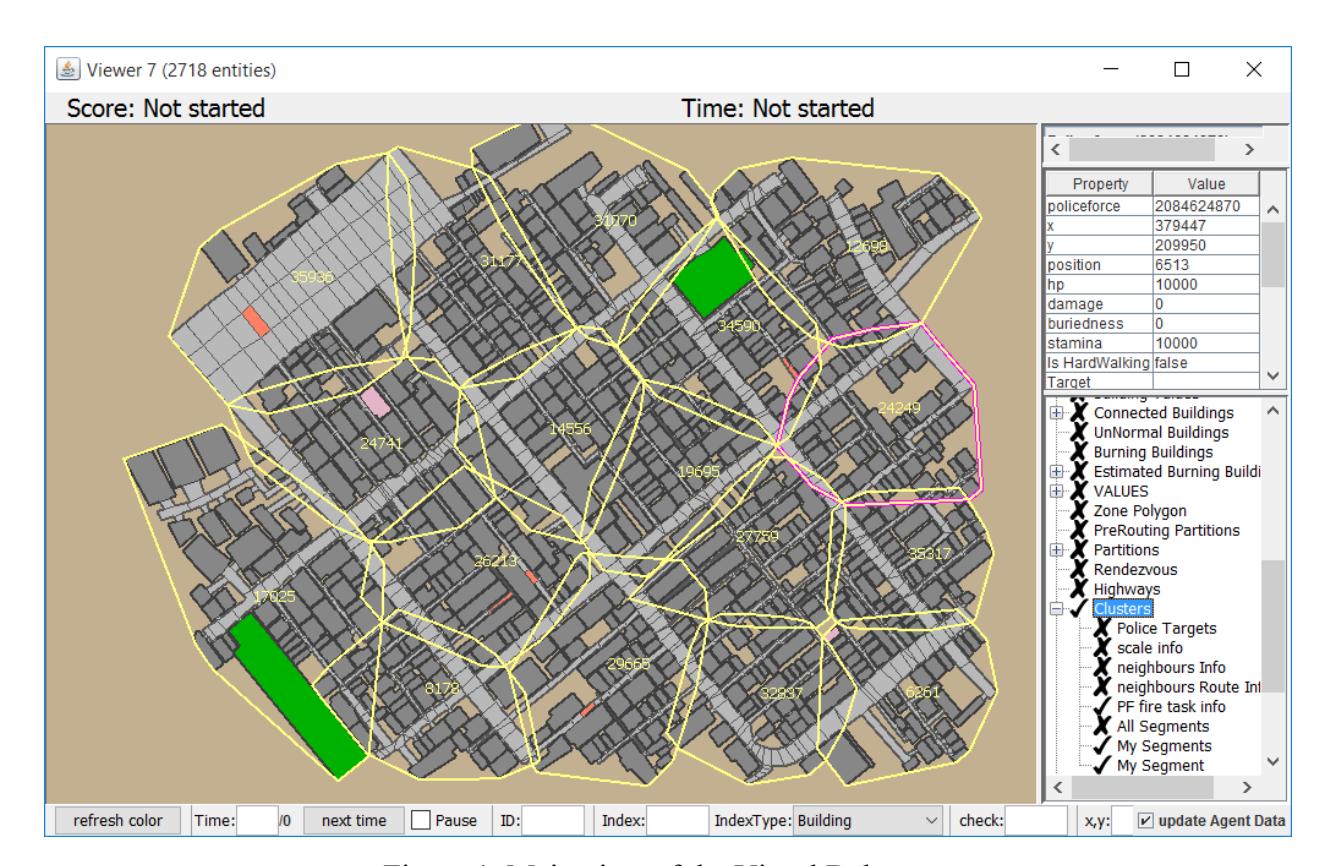
The Visual Debugger (Figure 1) utility has a very similar appearance to the standard rescue simulation viewer and has every feature that is provided by the standard version. The advantage of visual debugger is in extending the viewer and adding new layers of graphic over the standard view in order to provide visual and real time representation of additional data (e.g. output of newly implemented algorithms, specific properties, custom drawings and etc.)
The Visual Debugger is a maven based project with a jar file output that can be added to your project's library. For using Visual Debugger (VD) you only need to annotate you classes and entities and the VD will do the rest for you.
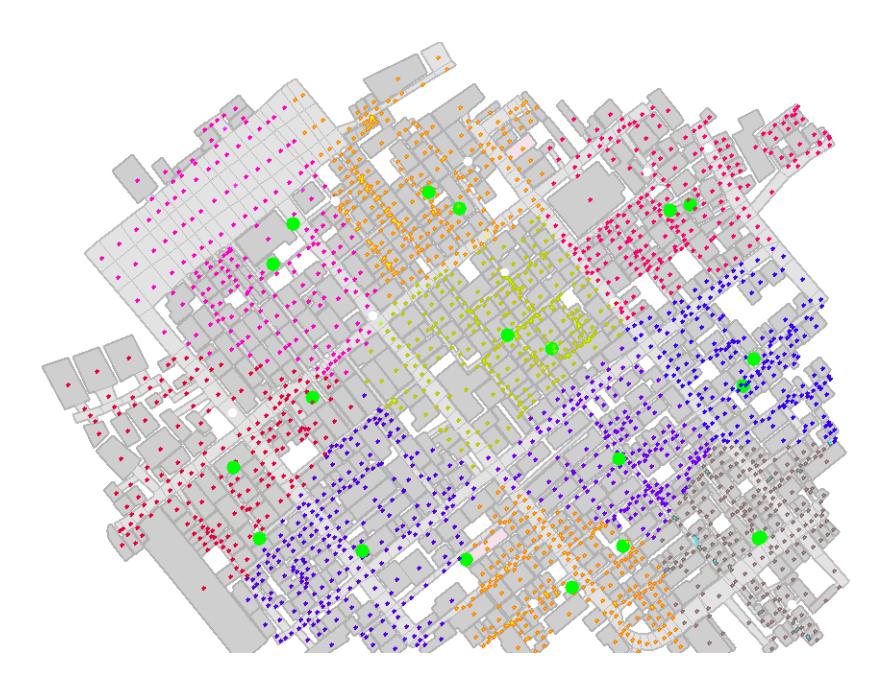
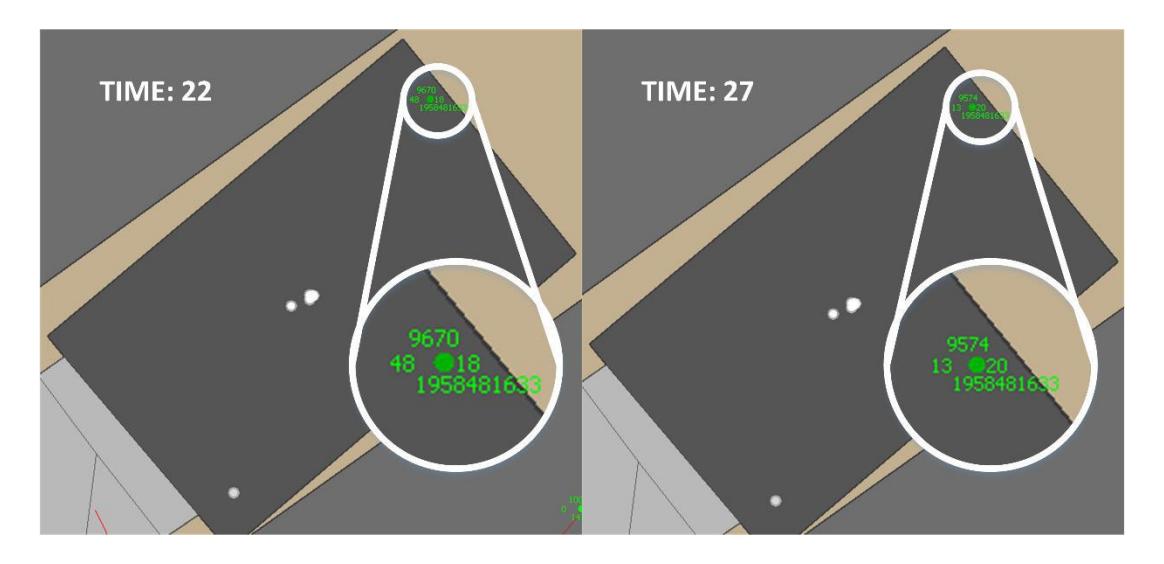
There are two main categories when it comes to visualizing data in rescue simulation; one is when you want to draw something all over the map (e.g. when you want to show clustering. Figure 2) and the other is when you want to draw something for each entity (E.g. when you want to show civilians information. Figure 3)
For drawing all over the map you can use @WorldLayer and for drawing on each entity you can user @EntityLayer annotations. Each of these annotations accepts two parameters, visible and name.
Name is a string representing the name of the layer shown in debugger scene and its default value is the name of the class. Visible is a Boolean that determines if the layer should be visible by default or not and its default value is false.
When you annotate a class with these annotations you must implement an interface specific to that annotation:
For @WorldLayer you must implement the following method:
public void render(Graphics2D g, ScreenTransform t, int width, int height)
Where width and height are the size of the whole view layer.
And for @ EntityLayer you must implement the following method:
public void render(T standardEntity, Graphics2D g, SereenTransform t)
Where standardEntity is the entity you want to add any visualized data to it.
You can also use both of the annotations on the same class and implement a renderer for both world layer and entity layer
References
- Skinner, C., & Ramchurn , S. (2010). The RoboCup rescue simulation platform. AAMAS '10 Proceedings of the 9th International Conference on Autonomous Agents and Multiagent Systems (pp. 1647-1648 ). Toronto: Richland.